Context
Understand the organisation, its commitments and the scope of your arrangements.

BUSINESS CONTINUITY PLANNING SOFTWARE · NEXT VERSION PREVIEW
KYRON BCP is a Mac app that guides you through building and maintaining your business continuity management system. Bring your priorities, dependencies, risks and recovery arrangements into one practical workspace.
For Apple silicon Macs · Local plan storage · One-off licence
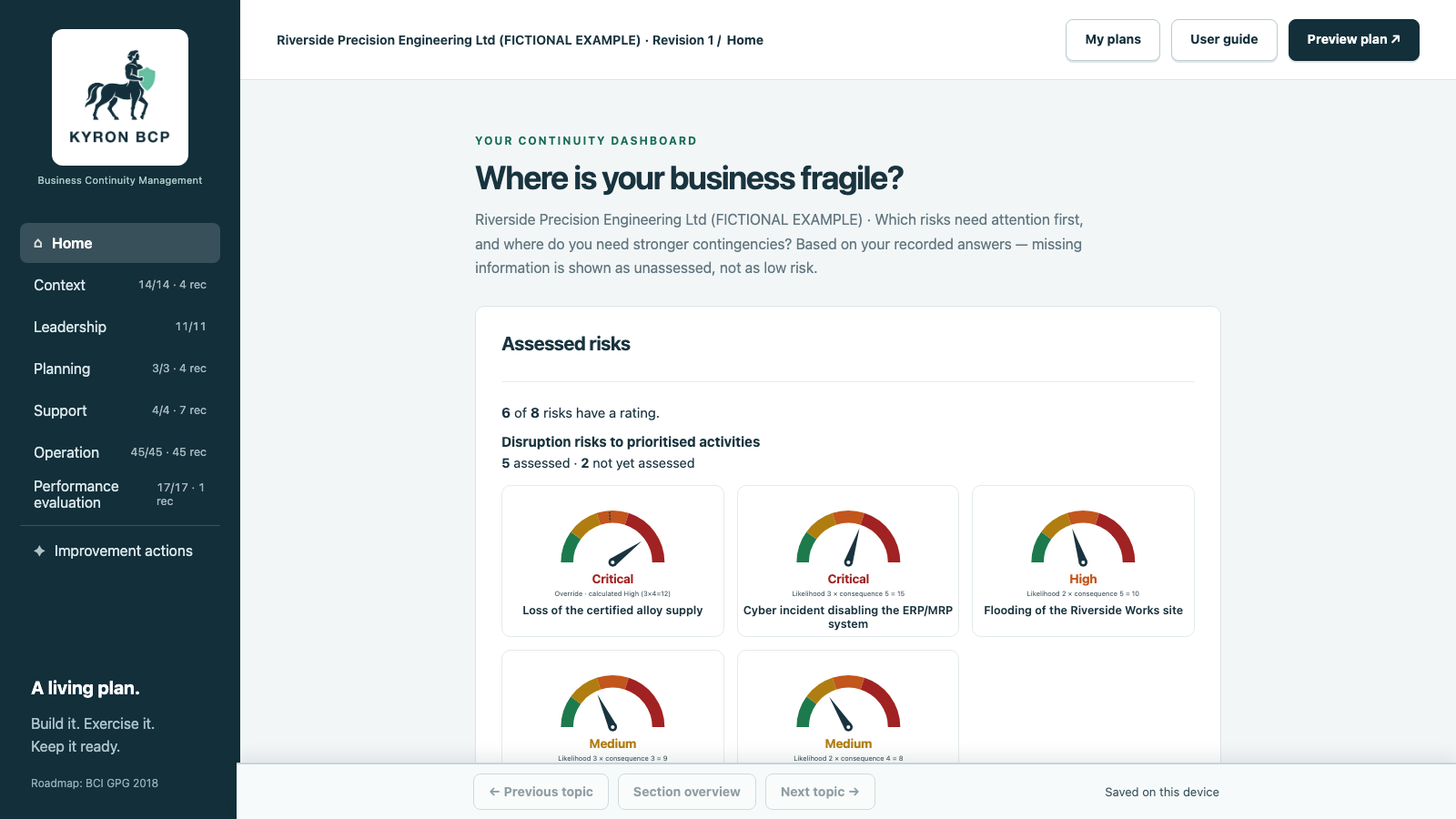
MAKE RISK VISIBLE
A prominent dial and needle make the current rating clear. Select likelihood and consequence and see the assessment update, with the score and risk band written alongside it.
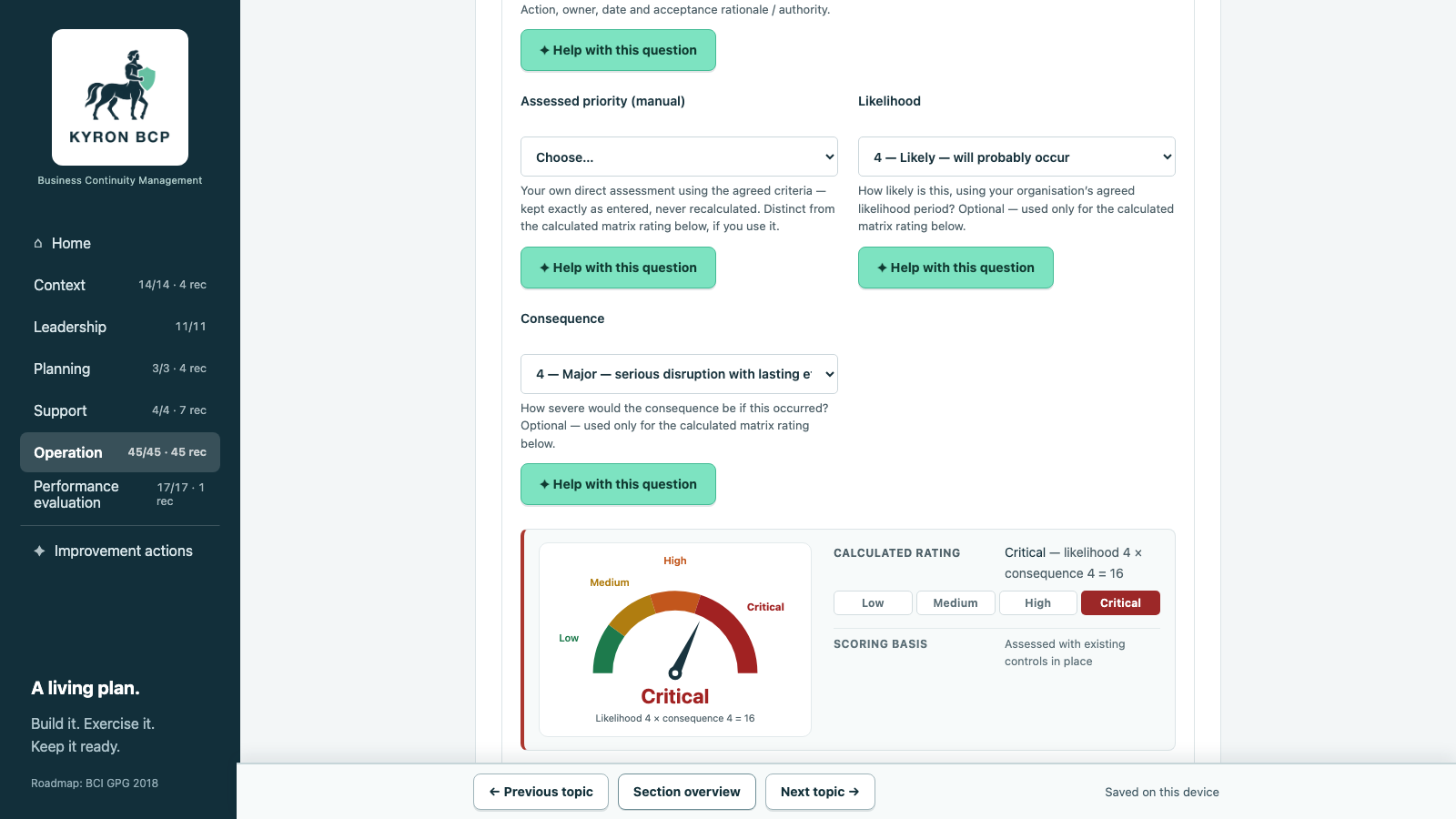
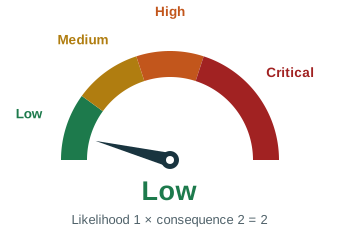
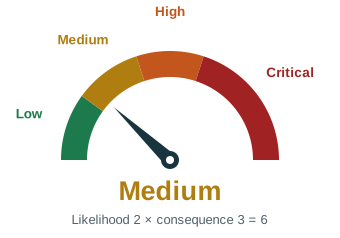
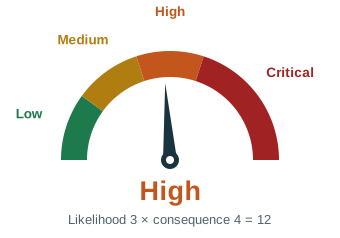
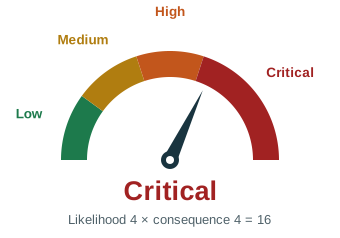
Illustrative ratings using the app’s gauge. Your rating comes from your recorded assessment.
Low, Medium, High and Critical have clear labels as well as colour. Keep the supporting reasons, controls and treatment with the risk.
Review the spread of assessed risks on the dashboard. Incomplete assessments remain visibly unassessed; they are never displayed as reassuring low risks.
A risk rating reflects the recorded assessment. The number of fields filled in is shown separately and is not a measure of readiness.
A CONNECTED MANAGEMENT SYSTEM
ISO 22301 provides the management-system framework. Processes from the BCI Good Practice Guidelines support the work you do within it.
Understand the organisation, its commitments and the scope of your arrangements.
Establish policy, accountability, management commitment and oversight.
Set continuity objectives and plan how to keep the programme current.
Organise resources, competence, awareness, communication and information.
Analyse impacts and risks, connect dependencies and prepare recovery and response.
Monitor, exercise, audit and review the arrangements.
Turn findings into assigned actions and track follow-through.
An independent planning tool. Completing entries does not establish conformity or certify the organisation.
SEE THE NEXT VERSION
Preview version 0.4.15 with Riverside Precision, a fictional organisation. This walkthrough shows the release candidate, not the current customer download. See how its information connects and how it becomes a planning pack.
Fictional example. Approvals and exercise results are illustrative, not evidence of real-world readiness.
Connect products and services to the processes, activities and resources that deliver them. Assess how disruption affects the organisation over time.
Assess risks, review priorities and choose feasible prevention and recovery measures. Record the owners, resources and assumptions behind each arrangement.
Record exercises and results, review the arrangements with management and follow through on improvement actions.
Help with this question provides explanations and examples when you need them. The built-in guidance does not verify the accuracy of your answers.
Set out what you want to achieve, how you will measure it, who owns it and when it should happen.
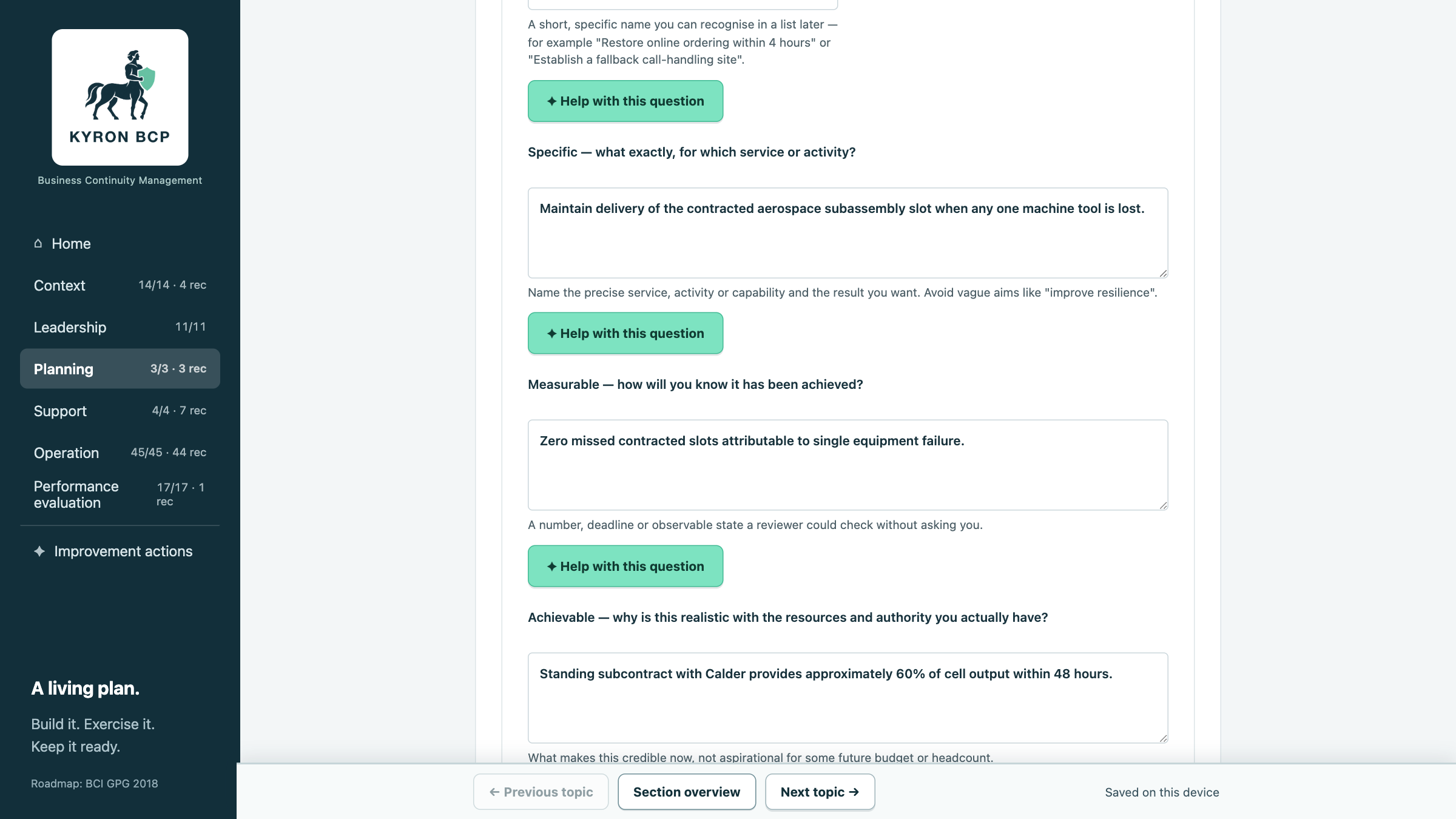
Your plan is never a single, static file you overwrite.
Finalise a revision when it's ready, and it's protected from further editing. Create a new revision from it whenever your circumstances change, and the finalised original is preserved untouched — so you always have a record of what your plan said at each point in time, not just the latest edit.
YOUR BRANDING, YOUR DOCUMENT
Add your company logo once, and KYRON BCP builds a branded cover page and executive summary automatically — ready to print, save as PDF, or share with your team.

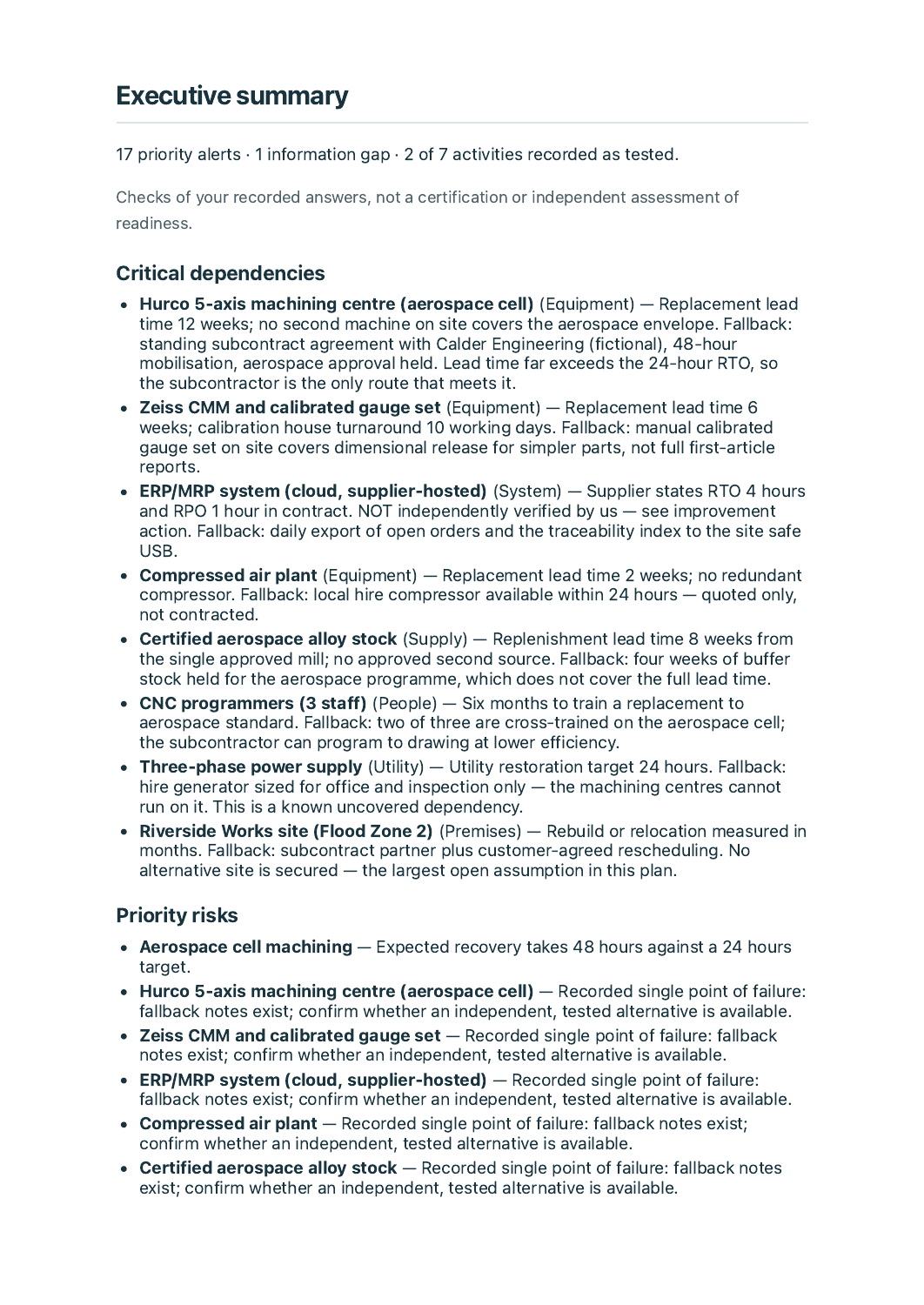
Open the illustrative preview PDF — an export from the 0.4.15 release candidate, using entirely fictional data for a fictional business, "Riverside Precision." Nothing in it is a real customer or a real plan. This is a worked example with review findings and unresolved assumptions, not an approved operational plan.
The full planning pack also includes a Guidance crosswalk and evidence section: each stage is mapped to the relevant clause of ISO 22301 — the international standard for business continuity management systems — alongside the BCI Good Practice Guidelines and related standards such as ISO 31000, with a line for your own review notes against each one. It's a documented starting point for your own conformity work, not a certificate or an assessment result.
Your plans are stored on your computer, not in a KYRON BCP cloud account — activate once, then work offline. That also means your backups are your responsibility: KYRON BCP can export a JSON backup of a revision at any time, but nothing is copied anywhere automatically. Keep dated backups somewhere separate from the computer running the app.
I'm Richard, the person behind KYRON BCP. This is a practical tool for working through your continuity arrangements and keeping them in one place.
You bring the knowledge of your organisation. KYRON BCP helps you ask the questions that are easy to miss: who can cover this role, what happens if a supplier stops, and how quickly must the work recover? Have a look at the sample before you decide whether it's right for you.
Richard · KYRON BCP
CURRENT DOWNLOADS · MAC 0.4.7 · WINDOWS 0.4.14
KYRON BCP is available for Apple silicon Macs (M1 or later) running macOS 13 or later, and Windows 11 PCs with Intel or AMD 64-bit processors. One purchase includes both downloads. One payment for the purchased major version, with optional paid upgrades later. No subscription.
The current downloads are Mac version 0.4.7 and Windows version 0.4.14. The new gauges, navigation and prioritisation shown in this preview are not yet included. No release date is promised.
The desktop app: guided planning, the risk dashboard, SMART objectives, bow-tie analysis, subsection navigation, plan revisions, and branded PDF export. Your plans are stored on your computer.
One payment covers this major version. Future major upgrades are optional paid purchases.
The consultant edition remains in preparation and is not available to buy.
One-off purchase
A local planning tool for your organisation.
Tax calculated at checkout. For one organisation or personal planning, for this major version. Read the licence and privacy notice before buying.
Mac and Windows downloads and your licence key are provided on the purchase confirmation page. Save both securely. KYRON BCP is supplied and licensed by Richard Willingham, trading as KYRON BCP. Payment is handled by the merchant of record shown at checkout — sold through Onelink using Stripe Managed Payments; checkout shows the final total and available payment methods. Software support: info@kyronbcp.com.
This website works in a modern browser. The downloadable app supports Apple silicon Macs (M1 or later) with macOS 13 or later, and Windows 11 Intel or AMD 64-bit PCs. Intel Macs, iOS and Android are not currently supported.
Yes. Watch the real-app walkthrough and explore the fictional Riverside planning pack. The example shows how the records connect; your own arrangements must reflect your organisation.
The desktop edition stores plans on your computer. You will be responsible for keeping backup copies. The worked example contains fictional information.
The desktop edition is designed for offline planning after purchase and local licence activation. Keep an accessible exported response plan and backups as part of your own arrangements.
No. KYRON BCP's guided questions are mapped to the BCI Good Practice Guidelines and to relevant clauses of ISO 22301 (the international standard for business continuity management systems), alongside related standards including ISO 31000 (risk management), ISO 22320 (incident management) and ISO 22361 (crisis management). The full planning pack includes a Guidance crosswalk and evidence section showing exactly which reference each stage draws on, with space for your own review notes. This is an independent planning tool, not a certification, endorsement, or a substitute for your own conformity assessment — check current editions and your organisation's specific obligations before relying on it.
The Mac and Windows editions are available now. Pay through the secure checkout, then save your downloads and licence key from the purchase confirmation page. The consultant edition remains in preparation.